Best Tech Upgrades for Your Home Office Desk Setup Under $500
Best Tech Upgrades for Your Home Office Desk Setup Under $500
If you spend eight hours a day at your desk, the gear you use matters more than most people admit. A bad keyboard makes your wrists ache. A mouse that doesn't track properly kills your flow. Poor lighting strains your eyes by 3pm. The good news: you don't need to spend thousands to build a desk setup that actually works. These five upgrades — all under $500 combined — will make a noticeable difference from day one.
We've tested all of these. Here's what's worth your money.
Keychron Q1 Pro Mechanical Keyboard
The mechanical keyboard that converts skeptics — and keeps them converted.
If you've been typing on a mushy membrane keyboard, the Keychron Q1 Pro will feel like switching from a flip phone to a smartphone. The gasket-mounted design absorbs vibration and gives every keystroke a satisfying, cushioned feel that's completely different from anything you've typed on before.
The Q1 Pro is a 75% layout — compact enough to free up desk space, but with function keys and arrow keys intact so you're not hunting for shortcuts. The wireless connectivity (Bluetooth 5.1 or 2.4GHz dongle) means you can pair it to three devices and switch between them with a keystroke. The battery lasts weeks on a charge.
The aluminum frame is genuinely premium — this thing weighs over a kilogram and doesn't flex at all. Hot-swappable switches mean you can change the feel without soldering. It comes with Gateron G Pro switches in red, brown, or blue variants. The brown switches are the sweet spot for most people: tactile feedback without the loud click.
Best for: Programmers, writers, and anyone who types for more than two hours a day.
Keychron Q1 Pro Mechanical Keyboard
Logitech MX Master 3S
The mouse that makes you realize how much your old mouse was holding you back.
The MX Master 3S is the mouse that productivity YouTubers and developers keep recommending — and they're right. The MagSpeed electromagnetic scroll wheel is the headline feature: it can scroll through a 10,000-row spreadsheet in under a second, or switch to precise click-by-click mode for detailed work. Once you've used it, every other scroll wheel feels primitive.
The ergonomic shape is designed for right-handed users who grip a mouse for hours. The thumb rest, the sculpted side buttons, and the weight distribution all reduce fatigue in a way that's hard to quantify but immediately noticeable. The side scroll wheel is genuinely useful for horizontal scrolling in spreadsheets and code editors.
Bluetooth or USB receiver, up to three device pairing, and a rechargeable battery that lasts 70 days on a single charge. The 8K DPI sensor works on glass surfaces. The customizable buttons (via Logi Options+) let you assign app-specific actions — different functions in Figma vs. VS Code vs. Chrome.
Best for: Power users, designers, and anyone who works across multiple monitors or applications.
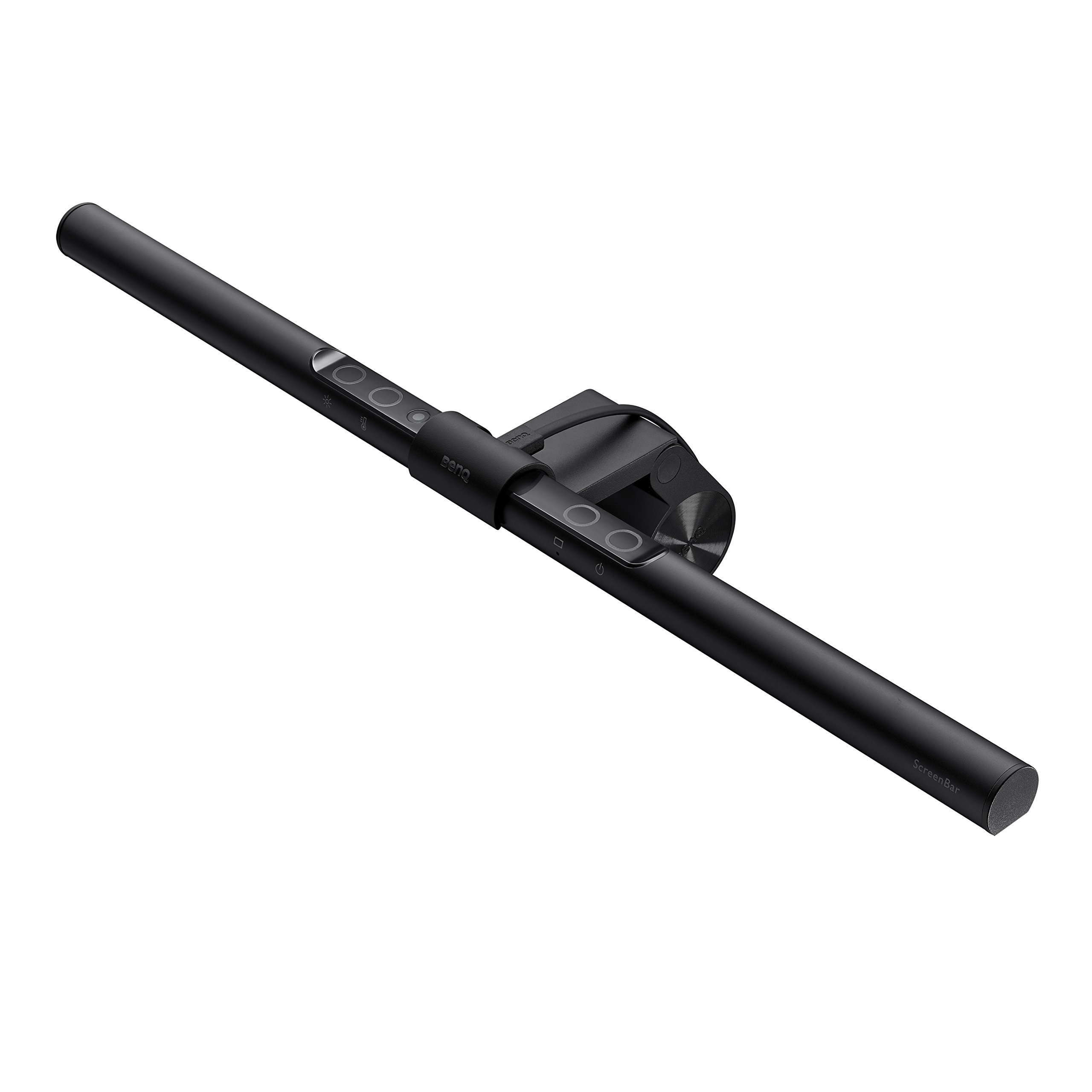
BenQ ScreenBar LED Desk Lamp
The desk lamp that eliminates eye strain without taking up any desk space.
The BenQ ScreenBar sits on top of your monitor and illuminates your desk without creating any glare on the screen. This sounds like a small thing until you've used it — then you realize how much your old desk lamp was bouncing light off your display and making you squint.
The asymmetric optical design directs light downward onto your desk and keyboard, not toward your eyes or screen. The auto-dimming sensor adjusts brightness based on ambient light. The color temperature range (2700K warm to 6500K cool) lets you match the light to the time of day — warm in the evening, cool during focused work sessions.
The clip-on design means zero desk footprint. No cables running across your desk. The touch controls on the top of the bar are intuitive. At around $109, it's one of the highest-value upgrades on this list — the improvement in eye comfort over a full workday is significant.
Best for: Anyone who works late, has a monitor-heavy setup, or suffers from eye strain by mid-afternoon.
Anker 737 Power Bank (PowerCore 24K)
The power bank that charges your laptop — not just your phone.
Most power banks are phone chargers pretending to be laptop chargers. The Anker 737 is the real thing: 24,000mAh capacity, 140W output via USB-C, and a built-in display that shows remaining capacity, wattage, and charging status in real time.
At 140W, it charges a MacBook Air at full speed. It can charge a MacBook Pro at near-full speed. It charges your phone and laptop simultaneously without throttling either. The 24,000mAh capacity gives a MacBook Air roughly 1.5 full charges — enough for a full day of travel without hunting for outlets.
The display is genuinely useful: you can see exactly how much capacity remains and how fast your device is drawing power. The build quality is excellent — this is a premium product that feels like it. It's heavier than a typical power bank (about 640g), but that's the trade-off for laptop-level power delivery.
Best for: Remote workers, frequent travelers, and anyone who works from coffee shops, airports, or anywhere without reliable power access.
Anker 737 Power Bank (PowerCore 24K)
reMarkable 2
The paper tablet that gets your handwritten notes off sticky notes and into your digital life.
The reMarkable 2 is the thinnest tablet ever made (4.7mm), and it's designed to do one thing: replicate the feel of writing on paper while keeping your notes organized and searchable. The e-ink display with the Marker stylus has the closest paper-like writing experience of any digital tablet — there's actual friction, actual texture, and zero lag.
For desk setups, it solves a specific problem: the pile of notebooks, sticky notes, and legal pads that accumulate around your monitor. Everything goes into the reMarkable instead. Handwriting-to-text conversion is accurate enough to be genuinely useful. The folder organization is simple and fast. Notes sync to the app on your phone and computer.
The battery lasts weeks. The screen is completely non-reflective and readable in direct sunlight. There are no distracting apps, no notifications, no social media — it's a focused writing tool, and that's exactly what makes it valuable in a desk setup full of screens competing for your attention.
Best for: Note-takers, meeting-heavy professionals, and anyone who thinks better with a pen in hand but wants their notes to be searchable.
You don't need to buy all five at once. Start with whichever one addresses your biggest daily frustration — the keyboard if your wrists ache, the lamp if your eyes are tired by noon, the power bank if you're always hunting for outlets. Each of these is a genuine upgrade that you'll notice immediately, and all five together come in well under $500. That's a desk setup that works as hard as you do.